Dev Docs - Introductions
A small introduction to the project.
Table of contents:
0. How does it work?
As said, Contagion is about viruses and malwares. It's also about a lore.
In Contagion, all members plays as an instance of YOU,

All instances of "YOU".
'You' is a core program virus worm[1] present into VX Computer. Users are allowed to execute that program.
The special ability of 'You' is to allow the user to choose their next target. Here, the next target will be user's computer.
'You' can then help the user to get out of VX's Computer.
In order to process the request, 'You' has access to /VirtualComputer/, meaning they can have a PC! But this PC they have (the one you start with) is weak, and don't have that much power.
Is has dead pixels, keyboard is hard to use, and the system is very laggy. You won't hack the Decagon with this...
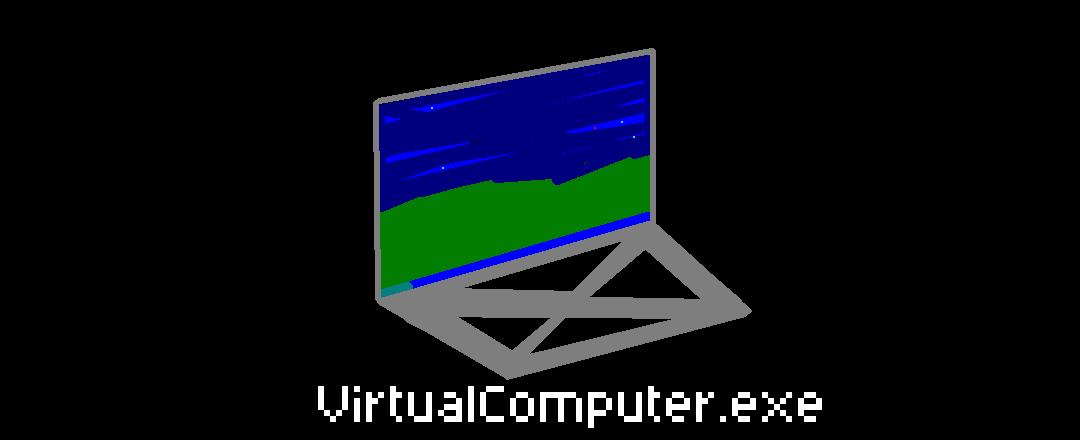
The VirtualComputer program, at level I.
Good news is: This computer can be Upgraded!
1. The Virtual Computer
The Virtual Computer or VCom is used to create and use a computer inside of a computer.
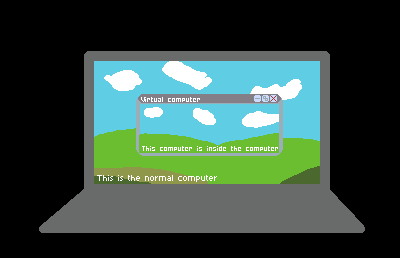
Rough explaination of what a virtual computer is.
In our case, 'You' is using this to search for user's computer. But as I said above: This computer is sù%.*
This computer can be upgraded in various ways:
1. 'Finding Viruses signatures'
The first way to get money is through the AVU's[2] Virus Hunting program: AVU will reward you a few Tokens for each signature you can find!
To explain correctly:
EVERY files on your computer has what we call a “Hash”. It's like Discord ID, but bigger: it is used to recognize files.
Like I said, each files in your computer has one, INCLUDING VIRUSES. This is one of the way antivirus knows who's a virus or not: scanning Hashes.For exemple: here's the SHA-256 (AKA: the hash) of the famous trojan
Wannacry:ed492db95034ca288dd52df88e3ce3ec7b146ffd854a394ac187f0553ef966d9If your antivirus finds a hash like this, it means one of your files hides Wannacry.
Here's how it works in Contagion
then the command /hash scan will be executed, a randomly generated hash will be generated. Depending on the level of your /VirtualComputer/, the command will also give you much information about this hash.
Your goal will be to determine if it's a virus or not. If it is, you successfully capture the hash and submit it to AVU, meaning you will win Tokens. If not, that ok, don't fret.
Users will be able to see which virus hashes they claimed with the /hash inventory <user> command.
More globally, users can check any hashes at any moment with /hash info {Hash}.
You can get more info on /hash command by clicking here: Hash commands